
Key Takeaways
- More tools don't make you better, using them deliberately does.
- Engines are the most powerful and most misused tool: annotate first, ask why, hunt for patterns.
- Lichess is the best free all-in-one platform; Chess.com has the largest community and lessons.
- Pick two tools, use them actively, and reassess in a few months.
There's never been more chess software available to improving players. Engines, puzzle trainers, opening databases, endgame tablebases, real-time analysis extensions: it can be overwhelming. Worse, most players use these tools inefficiently, spending hours with software that isn't actually moving their rating.
This guide breaks down the most impactful chess tools for improvement, what each is best at, and how to use them in a way that translates to actual rating gains.
The Problem With Tool Overload
Before listing tools, let's address the meta-problem: having more tools doesn't make you a better chess player. Using them deliberately does.
The typical improving player has accounts on four different platforms, runs engine analysis on every game, does puzzles daily, and still plateaus at the same rating for months. The issue isn't the tools: it's that they're used passively. Seeing an engine's best move is not the same as understanding why it's best.
Every tool in this guide should be used as a question-answering device, not a passive content stream. The question should always be: "What do I not understand here, and how can this tool help me understand it?"
Chess Engines: The Most Powerful Tool (And the Most Misused)
What they are: Stockfish, Leela Chess Zero (LC0), and Komodo are the strongest chess-playing programs ever created. Stockfish 17 plays at roughly 3600+ Elo: 800+ points above the world's best humans.
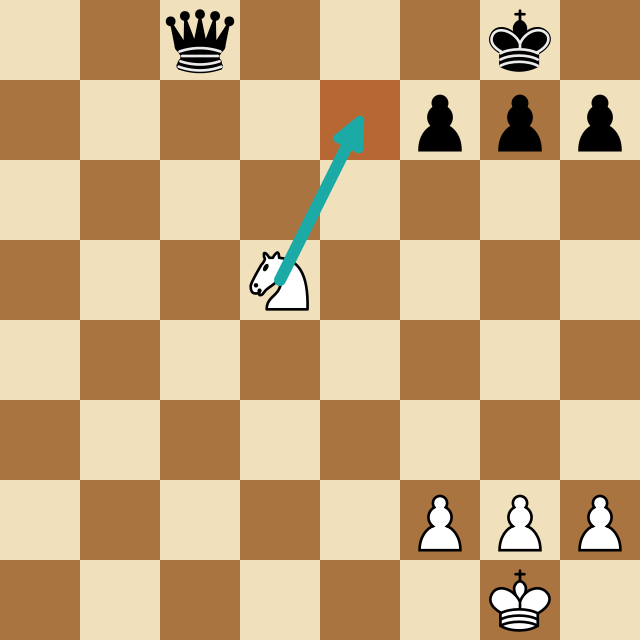
Best for: Understanding why moves are good or bad, finding your mistakes in games, and verifying opening lines.
How most players misuse them: They run a game through an engine, see a list of "??" blunders, feel bad, and close the analysis. This is passive consumption.
How to use engines effectively:
- Before looking at the engine's recommendation for a move you got wrong, try to find the correct move yourself: spend 3-5 minutes calculating
- When the engine shows a better move, don't just accept it: ask why it's better
- Look for patterns in your mistakes: are you consistently missing tactics? Misplaying specific pawn structures? Losing in endgames?
- Use the engine to check your opening preparation, but only look at your lines, not the engine's suggested improvements
Stockfish specifically: It's free, open-source, and available at Lichess.org's analysis board (free, no installation needed). For local installation, download from stockfishchess.org and use a free GUI like Arena or CuteChess.
Lichess: The Best Free Chess Platform
Lichess.org is entirely free, ad-free, and open-source. For improving players who don't want to pay for premium features, it's arguably the best overall platform available.
Key features for improvement:
- Study tool: Create annotated game studies with engine lines and text comments. Excellent for building opening repertoires and reviewing important games
- Opening explorer: Database of millions of games searchable by position, see what moves are played at every Elo range
- Puzzles with spaced repetition: Adaptive puzzle system that prioritizes motifs you struggle with
- Game analysis: Free Stockfish analysis for every game you play, with accuracy percentage and move classification
- Practice vs. computer: Adjustable strength computers from beginner to GM level
Best for: Players who want a complete training environment without spending money.
Chess.com: The Largest Chess Community
With over 150 million registered users, Chess.com has the largest player pool at every time control and rating range. Finding a game at any hour is never an issue.
Key features for improvement:
- Lessons: Structured video lessons by GMs and IMs covering all aspects of the game
- Puzzle Rush and Puzzle Battle: Timed puzzle modes that build recognition speed under pressure
- Game review: Accuracy analysis with engine comparison (limited free tier, full analysis requires premium)
- Opening explorer: Huge database with master games and games at your specific rating range
Best for: Players who want the largest opponent pool, structured video lessons, and a more polished interface. Premium subscription ($15-20/month) unlocks full analysis features.
Free vs. premium: The free tier has meaningful limitations on game analysis. If you're serious about improvement and willing to spend, the premium analysis features are genuinely useful. If not, Lichess offers comparable analysis for free.
Chessable: Spaced Repetition for Openings and Endgames
Chessable applies the spaced repetition learning method (made famous by Anki) to chess training. You learn opening lines by playing through them interactively, and the platform resurfaces variations you struggled with at optimal review intervals.
Key features:
- Hundreds of courses by grandmasters covering openings, endgames, tactics, and middlegames
- Move trainer with spaced repetition scheduling
- Forced to type or play moves (not just watch): active recall beats passive reading
Best for: Building opening repertoires and memorizing endgame technique. The spaced repetition system is genuinely effective for retaining long lines.
Drawback: High-quality courses can be expensive ($30-80+). The free courses are useful but limited. Best for players who have decided on a specific opening and want to learn it deeply.
Recommendation: Use Chessable for the openings you've committed to. Don't buy courses for openings you're still experimenting with: you'll be paying to memorize things you'll later abandon.
Endgame Tablebases: Perfect Endgame Knowledge
Endgame tablebases contain the perfect solution to every chess endgame with 7 or fewer pieces on the board. They're used by GMs and engines alike to determine whether any position is a theoretical win, draw, or loss.
Where to access: Syzygy tablebases are available for free at syzygy-tables.info, just enter any position with 7 or fewer pieces.
Best for: Studying specific endgame positions. If you want to know whether K+R vs K+B is a win or draw from a specific setup, tablebases give you the definitive answer with optimal play from both sides.
Drawback: They don't explain why, just what. Use tablebases to verify endgame assessments, then use engine analysis to understand the key maneuvers.
Real-Time Chess Analysis Tools
A newer category of chess tool: browser extensions and software that analyze positions in real time while you play or watch games online.
What they do: Overlay engine evaluations, best moves, and win percentages on your chess board as you play or review, without needing to switch to a separate analysis window.
Best use cases:
- Reviewing correspondence chess games
- Learning while watching streamers or tournaments (seeing the evaluation alongside the game helps you understand what's happening)
- Post-game analysis while your memory of the game is still fresh
ChessSolve is a Chrome extension designed for this purpose: it runs engine analysis directly on Chess.com and Lichess boards, showing evaluations and suggested moves in real time. It's particularly useful for players who want to bridge the gap between seeing an engine's evaluation and understanding the position.
Important note on fair play: Real-time analysis tools should never be used in rated games, that's cheating. They're for study, review, and learning from games after the fact. Used correctly, they're one of the fastest ways to understand why specific moves are strong or weak.
Video Content: YouTube and Streaming Platforms
Chess content on YouTube has exploded in quality and volume. Some genuinely excellent free resources:
- GothamChess (Levy Rozman, IM): Beginner to intermediate content, excellent for tactical patterns and game analysis
- Daniel Naroditsky (GM): "Speed Run" series where he explains his thinking in detail while climbing rating ranges from 600, extremely valuable for understanding how to think
- Ben Finegold (GM): Deep positional explanations with a dry sense of humor, excellent for intermediate players
- Hanging Pawns: Structured opening explanations with clear plans and middlegame ideas
How to use video content effectively: Don't just watch, pause and try to find the move before the presenter shows it. Passive viewing is entertainment; active guessing is training.
What to Actually Spend Your Time On
Given all these tools, here's a practical allocation by rating:
Under 1000 Elo:
- 60% puzzles (Lichess or Chess.com free tier)
- 30% playing games
- 10% reviewing blunders with engine analysis
1000-1500 Elo:
- 40% puzzles
- 25% playing games
- 20% opening study (Chessable or Lichess studies)
- 15% game analysis with engine
1500-1800 Elo:
- 30% puzzles
- 20% playing games
- 25% opening and endgame study
- 25% deep game analysis (engine + video review)
Over 1800 Elo:
- Balanced across all areas
- More emphasis on annotation of your own games vs. just running engine analysis
The Rule of Deliberate Practice
All of these tools share one requirement: you have to engage actively. The moment you start passively scrolling through engine lines, watching videos on autopilot, or mindlessly grinding puzzles at 3 a.m. after your 50th game, the learning stops.
Quality chess improvement looks like: a focused 20-minute puzzle session with full review of mistakes, or a 30-minute game review where you pause at each blunder and try to find the improvement before checking the engine. If you want the whole system, follow the 6-step chess improvement plan.
Pick two tools. Use them deliberately. Come back to this list in three months when you've outgrown them.
Frequently Asked Questions
What are the best chess tools for improvement?
A strong engine (Stockfish, free on Lichess), a puzzle trainer with spaced repetition, an opening tool like Chessable or Lichess Studies, and endgame tablebases. Use two at a time, deliberately, as question-answering devices.
Is Chess.com or Lichess better for improving?
Lichess gives unlimited free analysis, studies, and adaptive puzzles; Chess.com has the biggest player pool and structured video lessons. For free improvement, Lichess is hard to beat.
Do I need to pay for chess improvement tools?
No. Lichess offers free engine analysis, puzzles, studies, and an opening explorer. Paid tools like Chessable and Chess.com premium add convenience and courses but aren't required to improve.
Analyze any game or position free
Paste a PGN or FEN into ChessSolve's free Stockfish analysis board and get best-move arrows and a live evaluation bar — no account needed.
Open the Analysis Board