
Stop guessing — see the best move. Real-time Stockfish chess analysis for Chess.com and Lichess.
ChessSolve is a free browser extension that shows real-time Stockfish best-move arrows, a live eval bar, and move classifications on Chess.com & Lichess — during play.
★ 5.0 · 6,000+ players · No card required
Live demo: a Chess.com board with ChessSolve's colored best-move arrows and an evaluation bar overlaid by Stockfish while you play.
Everything it does
Not just arrows. A full engine overlay.
Candidate arrows
Color-coded moves, ranked by strength
Up to 5 candidate moves drawn as arrows on your board. Each one is colored by quality: best move bright green, weaker options fading toward red. You see the whole picture, not just one answer.
Evaluation bar
See who's winning in real time
A live bar tracks the engine evaluation as every move plays out. Watch it shift when a blunder lands or a win slips away. White or black advantage, always visible at a glance.
Move classifications
Brilliant, best, blunder. As it happens.
Every move gets a badge the moment it's played: Brilliant (!!) · Great (!) · Best · Excellent · Good · Inaccuracy · Mistake · Blunder. Post-game review quality, running live.
Full coverage
Both sides. Both platforms. Every game.
Analysis runs on every position change, for your moves and your opponent's. Works on Chess.com and Lichess. Every finished game auto-syncs to ChessSolve for later replay.
Bonus: Puzzle Trainer
Train your eye. Spot the move yourself next time.
3,100+ ELO-rated puzzles that get harder as you improve. Seeing the arrows in your games is one thing. Knowing why they're right is what actually makes you better.
Adaptive difficulty
Your rating adjusts after every puzzle using the ELO formula. Harder as you improve, easier when you struggle.
Timed solving
Race the clock. Timer length scales with puzzle rating to keep every challenge fair.
Daily streaks
Solve at least one puzzle a day to keep your streak alive. Miss a day and it resets.
Global leaderboard
Compete on the puzzle rating leaderboard. Top 3 players get a podium.
Free: 20 puzzles/day · Premium: unlimited
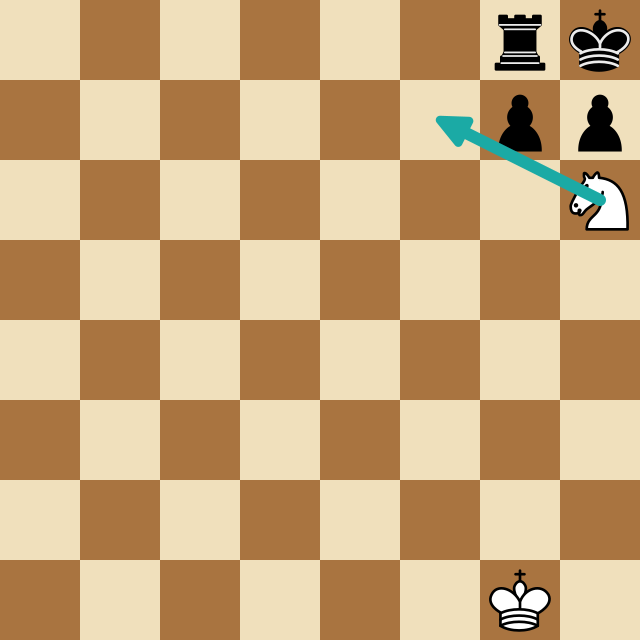
Bonus: Analysis Board
Analyze any position, any time.
Paste a FEN or PGN into the free analysis board and explore any position with Stockfish. Step through moves, see the evaluation bar shift, and find exactly where it went wrong.
Evaluation bar
A live bar shows white's advantage as positions change. Spot swings at a glance, no numbers required.
Up to 5 best-move arrows
Green arrows ranked by engine preference. See all candidate moves at once, not just the top choice.
Full move navigation
Step forward and back through every move. Use arrow keys or click any move in the list to jump instantly.
Free exploration
Drag pieces to explore variations off the mainline. Navigate back and the recorded game resumes.
Free to use, no account required
Bonus: Opening Explorer
Learn openings by playing the lines.
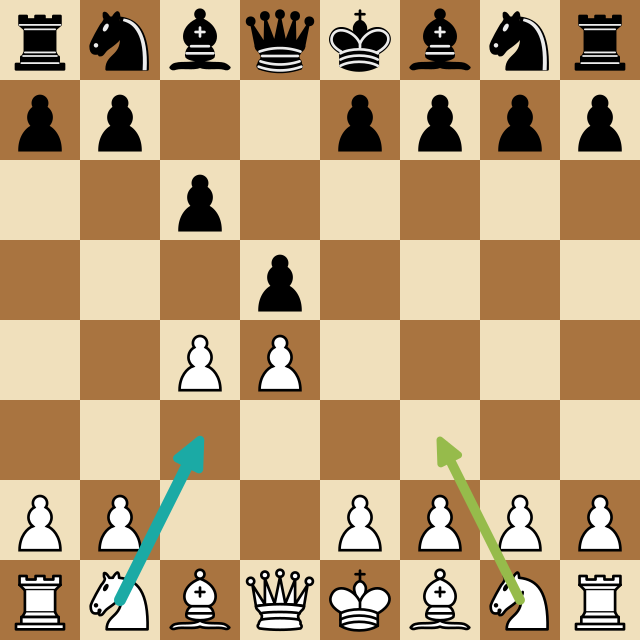
A curated library of the main openings for White and Black. Step through each line move by move, see Stockfish's take on every position, and drill the theory until it sticks.
Curated White & Black lines
Start from the openings that actually matter — no wading through a raw move database.
Stockfish on every position
Understand why the main move is the main move, not just that it is.
Know when you leave book
Make the moves yourself; it flags the moment you diverge from theory.
Free to use, no account required
Bonus: Board Editor
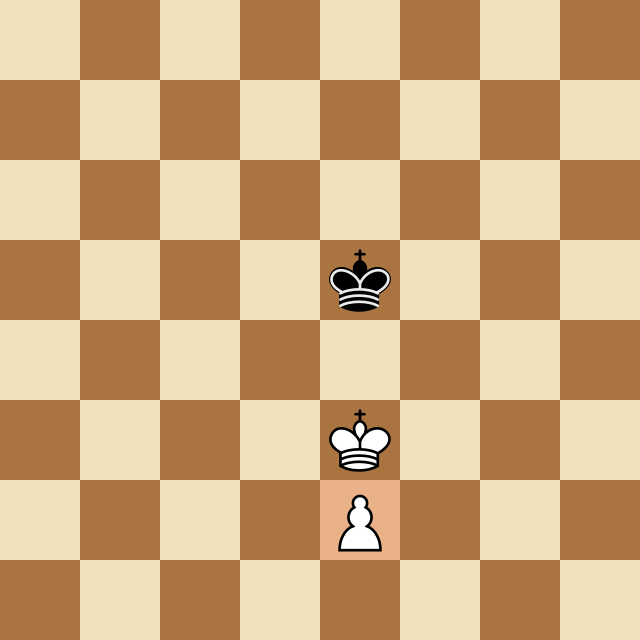
Set up any position, then analyze it.
Build any chess position from scratch — place any pieces freely, even multiple queens — choose the side to move, and hand it straight to Stockfish for instant analysis.
Place any piece, anywhere
Set up studies, endgames, or that position from your book — no rules in the way.
Great for endgames & studies
Reconstruct a position from a book or video and see exactly how the engine handles it.
One click to Stockfish
Hit Analyze and the position opens on the analysis board with best-move arrows and the eval bar.
Free to use, no account required
Free chess tools
More than an overlay. A full toolkit.
Free real-time Stockfish analysis in your browser — no account required. Train tactics with rated puzzles, analyze any position, drill openings, and set up any board.
Your games, saved automatically
With the extension installed, every game you finish on Chess.com and Lichess is saved to your account — replay and re-analyze any of them from My Games.
How it works
Up and running before your next game
Two minutes to install. Then just play. The extension does the rest.
Install the extension
Add from the Chrome Web Store. One click, no developer mode needed.
Create a free account
Sign in directly from the extension popup. No credit card required.
Open a game
Start or join a game on Chess.com or Lichess exactly as you normally would.
Click Start
Hit Start in the popup. Arrows, eval bar, and classifications appear instantly.
Comparison
Your opponents study with engines. Now you can too.
Just not in rated games. That's cheating. But in training? It's the fastest way to get better.
ChessSolve
- Color-coded candidate arrows, up to 5, ranked by move strength
- Live evaluation bar that updates on every single move
- Real-time move classifications: brilliant, best, inaccuracy, blunder
- Analysis on both sides: your moves and your opponent's
- One extension for Chess.com and Lichess, powered by Stockfish
Built-in platform analysis
- Post-game review only, no analysis while the game is live
- One suggested move, no ranking or candidates
- No evaluation bar
- No move classifications during play
- Separate tools per platform, requires leaving the board
For training only. Using engine assistance in rated games violates platform terms of service.
Our ethics guide →What players say
Real players. Real improvement.
“Works flawlessly and saves a lot of time”
Jeanne Sam
May 29, 2026
“Very helpful for finding mistakes and better moves”
Jordan Holmess
May 29, 2026
“Smooth, accurate, and super useful for game reviews”
Elizabeth Justin
May 28, 2026
“ChessSolve works smoothly and gives accurate analysis. Perfect for improving chess skills quickly.”
Godwin Christ
May 28, 2026
“Excellent extension for chess players who want fast analysis and better move understanding”
Charlotte Ivan
May 27, 2026
“Very smooth and easy to use, perfect for quick game analysis without leaving the page”
Bikky Justin
May 26, 2026
Pricing
Free to start. Upgrade anytime.
Free
Everything you need to get started.
- 50 positions per day
- 1 best moves per position
- 3 puzzle hints per day
- Chess.com & Lichess
- Real-time board arrows
Plus
excl. VAT · added at checkout
Cancel anytime. No contracts.
- Everything in Free
- 500 positions per day
- 2 best moves per position
- Unlimited puzzle hints
Premium
excl. VAT · added at checkout
Cancel anytime. No contracts.
- Everything in Plus
- Unlimited positions per day
- Up to 3 best moves per position
- Higher engine depth
FAQ
Common
questions
Everything you want to know about ChessSolve. Honest answers, no fluff.
Get started
Your next blunder could be your last one.
Install ChessSolve free and start training with Stockfish on your side. Takes 2 minutes. No credit card.
Free forever. Upgrade anytime to remove limits.