
Free chess tool
The free Stockfish analysis board
Drop in any game or position and let Stockfish do the heavy lifting — best-move arrows, a live evaluation bar, and full move navigation. No account, no limits.
Free to use · no account required
What it does
Everything in the Analysis Board
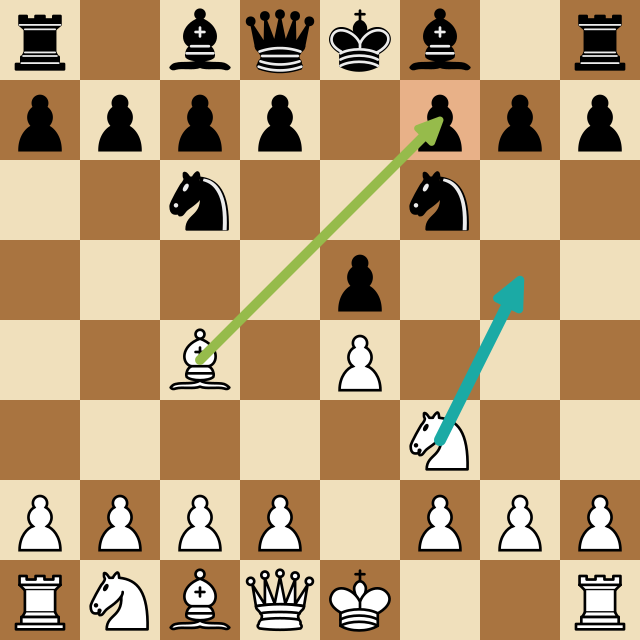
Up to 5 best-move arrows
Stockfish's top candidate moves drawn straight on the board, ranked by strength — so you see the whole plan, not just one answer.
Live evaluation bar
A running eval bar shows who's better and by how much, updating as you step through the game. Spot the exact move it turned.
Full move navigation
Step forward and back with the arrow keys or click any move in the list. Branch off into your own lines, then snap back to the game.
Import PGN or FEN
Paste a PGN from your Chess.com or Lichess history, or a FEN of any single position, and start analyzing in one click.
Free and unlimited
The analysis board is free for everyone, including guests. No daily cap, no credit card, no account required to start.
How it works
Up and running in seconds
Load a position
Paste a PGN or FEN, or just start from the opening position.
Let Stockfish analyze
Best-move arrows and the evaluation bar appear instantly and follow you through every move.
Find the turning point
Step through the game and watch the eval bar swing to pinpoint the move that decided it.
Learn the why
Branch into the engine's line, play it out, and understand the idea instead of just memorizing the move.
FAQ
Common questions
Is the analysis board really free?
Yes — it's free and unlimited for everyone, including guests. No account or payment is required to analyze a game or position.
Can I import a PGN from Chess.com or Lichess?
Yes. Download the PGN from your game history, paste it into the PGN tab, and click Load to step through the whole game with the engine.
What engine does it use?
Stockfish, the strongest open-source chess engine in the world. You can set the search depth and how many candidate arrows to show.
More free tools
Keep improving
Board Editor
Build any chess position from scratch — place any pieces freely, even multiple queens — choose the side to move, and hand it straight to Stockfish for instant analysis.
Opening Explorer
A curated library of the main openings for White and Black.
Puzzle Trainer
Sharpen your tactical eye on 3,100+ ELO-rated puzzles that get harder as you improve.
Try the Analysis Board now
Drop in any game or position and let Stockfish do the heavy lifting — best-move arrows, a live evaluation bar, and full move navigation. Free, in your browser, no account needed.