
Key Takeaways
- For analyzing your own games, the best third-party chess engine is Stockfish: it's free, open-source, and the strongest engine in the world.
- Stockfish 18 (January 2026) plays around 3970-4060 performance Elo, far beyond any human, so its analysis is authoritative at every level.
- You don't need to install a desktop GUI: a browser extension runs Stockfish directly on the Chess.com or Lichess board.
- The engine tells you the move; the skill is learning to read why, which is where your improvement actually comes from.
If you want to analyze your own games with something stronger and more flexible than a site's built-in review, you're looking for a third-party chess engine. The good news is that the choice is easy, and the harder, more interesting question is how you run it.
The short answer: Stockfish
For analyzing your games, the best third-party chess engine is Stockfish, and it isn't close. It's free, open-source, and has been the strongest engine in the world for years. The latest release, Stockfish 18 (January 31, 2026), gained up to 46 Elo over Stockfish 17 and plays at an estimated 3970-4060 performance Elo on strong hardware: far beyond any human grandmaster (Stockfish blog).
What that means in practice: when Stockfish says a move is a mistake, it's a mistake. Its analysis is authoritative whether you're 800 or 2400, so you never outgrow it. If you want the fuller background on the engine, we've written a whole piece on what Stockfish is and how it works.
The other engines you'll hear about (Leela Chess Zero, Komodo Dragon) are excellent, but for the everyday job of finding the mistakes in your games, none of them gives a club or intermediate player a practical edge over Stockfish. Stockfish is the default for good reason.
Why go third-party at all
If Chess.com and Lichess both have engines, why reach for an outside tool?
- Cost and access. Chess.com's deeper game review is a paid feature. A third-party Stockfish tool can give you free analysis instead.
- Live, not just post-game. Built-in reviews run after the game. A third-party overlay can show analysis on the board in real time while you study.
- More candidate moves. Seeing the top three or four engine choices at once (not just the single best move) is far more instructive, because the trade-offs become visible.
- Control. You can push the depth and number of variations to suit what you're studying.
You don't have to install anything
The old way to run a third-party engine was a desktop chess GUI: download a Stockfish binary, load it into a program, and paste in your positions. That still works, but for most people it's more setup than it's worth.
The modern way is a browser extension. ChessSolve runs Stockfish 18 directly on the Chess.com or Lichess board you're already on, overlaying the evaluation and best-move arrows in place. There's no separate application, no importing positions, and no PGN shuffling: the engine comes to the board instead of you carrying the board to the engine. It works on both sites and has a free tier.
The engine is only half the job
Here's the part that actually decides whether a third-party engine makes you better: an engine tells you the move, not the reason. Stockfish will flag your blunder and show a better move, but it won't explain the idea.
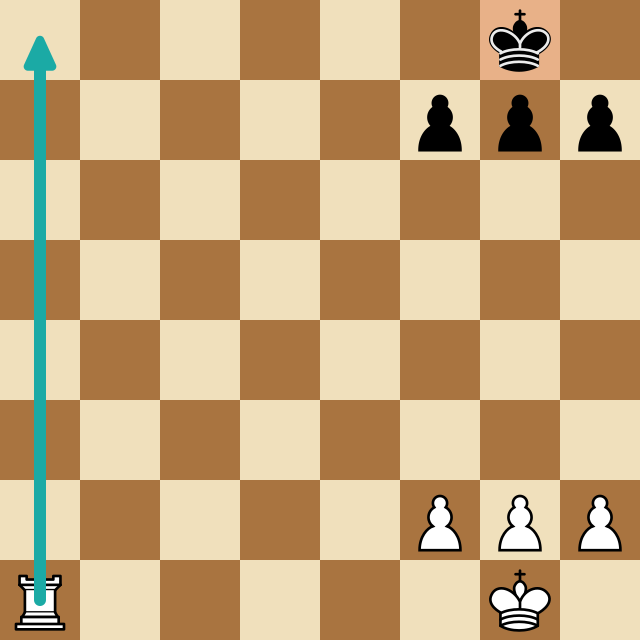
The skill worth building is reading the engine's lines, playing out its main variation, comparing its move to the one you wanted, and naming what your move gave up. That's how a mistake becomes a pattern you recognize next time. We cover exactly that in why Stockfish suggests the move it does and how to use engine analysis to actually improve.
Pick Stockfish, that part's settled. Then spend your energy on reading what it tells you, because that's where the rating points are.
Frequently Asked Questions
What is the best third-party chess engine?
Stockfish. It's free, open-source, and consistently the strongest chess engine in the world: the January 2026 release, Stockfish 18, plays at an estimated 3970-4060 performance Elo. For analyzing your own games, no other engine gives you a meaningful advantage over it.
Why use a third-party engine instead of Chess.com's built-in one?
Chess.com's deeper game review is gated behind a membership, and it's post-game only. A third-party Stockfish tool can give you free analysis, run live on the board, and show multiple candidate moves, often with more control over depth and variations.
Do I need to download and install an engine?
Not anymore. Desktop GUIs like a downloaded Stockfish binary still work, but a browser extension runs Stockfish on the web board you're already using, so there's nothing to install beyond the extension itself.
Is Stockfish free to use?
Yes. Stockfish is open-source and free under the GPL. You can download it, and most tools that run it (including free-tier browser extensions) pass that on at no cost for analysis.
Analyze any game or position free
Paste a PGN or FEN into ChessSolve's free Stockfish analysis board and get best-move arrows and a live evaluation bar — no account needed.
Open the Analysis Board